Overview
A calm scan of what the trip still needs: open items, notes, and the practical work that is easy to forget.


The practical bits of a group trip usually live in another app. Awaii Essentials keeps overview, packing, to-dos, and notes next to the ideas and itinerary.
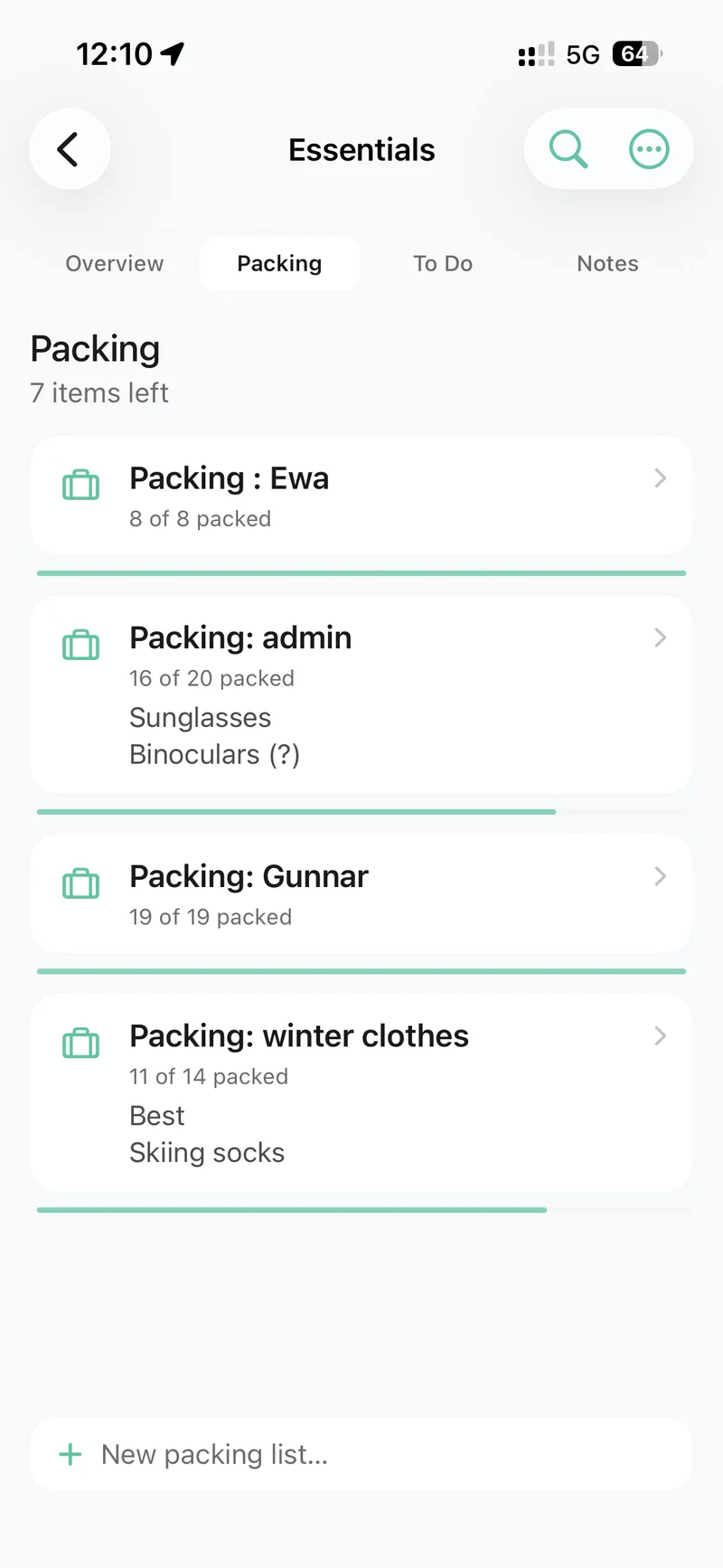
The list should travel with the plan, not live in a separate note.
Ideas and dates get the trip moving. Essentials keeps the follow-through visible: what to pack, what still needs doing, and the notes people keep asking for.
A calm scan of what the trip still needs: open items, notes, and the practical work that is easy to forget.
A shared packing list with sections, so adapters, documents, and “who is bringing the car seat” do not live in chat.
Insurance, transfers, dinner bookings, and the small tasks that stall a trip if nobody owns them.
Search the hub, keep notes in sections, and attach a note to the stay or idea it belongs to.
Group trips generate a second layer of work after the destination is chosen. Someone remembers passports. Someone else books the transfer. A note about check-in gets sent once and then lost.
Essentials keeps that layer next to the shared itinerary and the costs, so the practical trip and the planned trip stay the same trip.

The broader list for dates, stays, activities, and the shared plan.
CostsPlanned costs and logged expenses next to the same trip.
ExploreFind nearby ideas, then keep the useful ones on the board.
NewsHow Essentials arrived with Explore, costs, and dates together.
Essentials is the hub for overview, packing, to-dos, and notes that belong to the trip instead of a separate list app.
Yes. Packing lives with the trip, so everyone can see what still needs to come and what is already covered.
Yes. Notes can be linked to trip items, so a reminder sits next to the stay, activity, or idea it belongs to.
No. Anyone on the trip can add packing items, to-dos, and notes so the practical work is not trapped in one person’s head.
Download Awaii and give the group one place for the practical bits of the trip.