

Awaii for iPhone · The full trip planner
A little “what if”.
A whole trip ahead.
Dream it up. Work it out. Take it with you. Create a trip, collect ideas, align with your people, plan the days and the budget. Keep it all close, even offline.
Available on the App Store. For solo trips, two people, or the whole group.
Your trip at a glance
One place to come back to. Your whole trip in view.
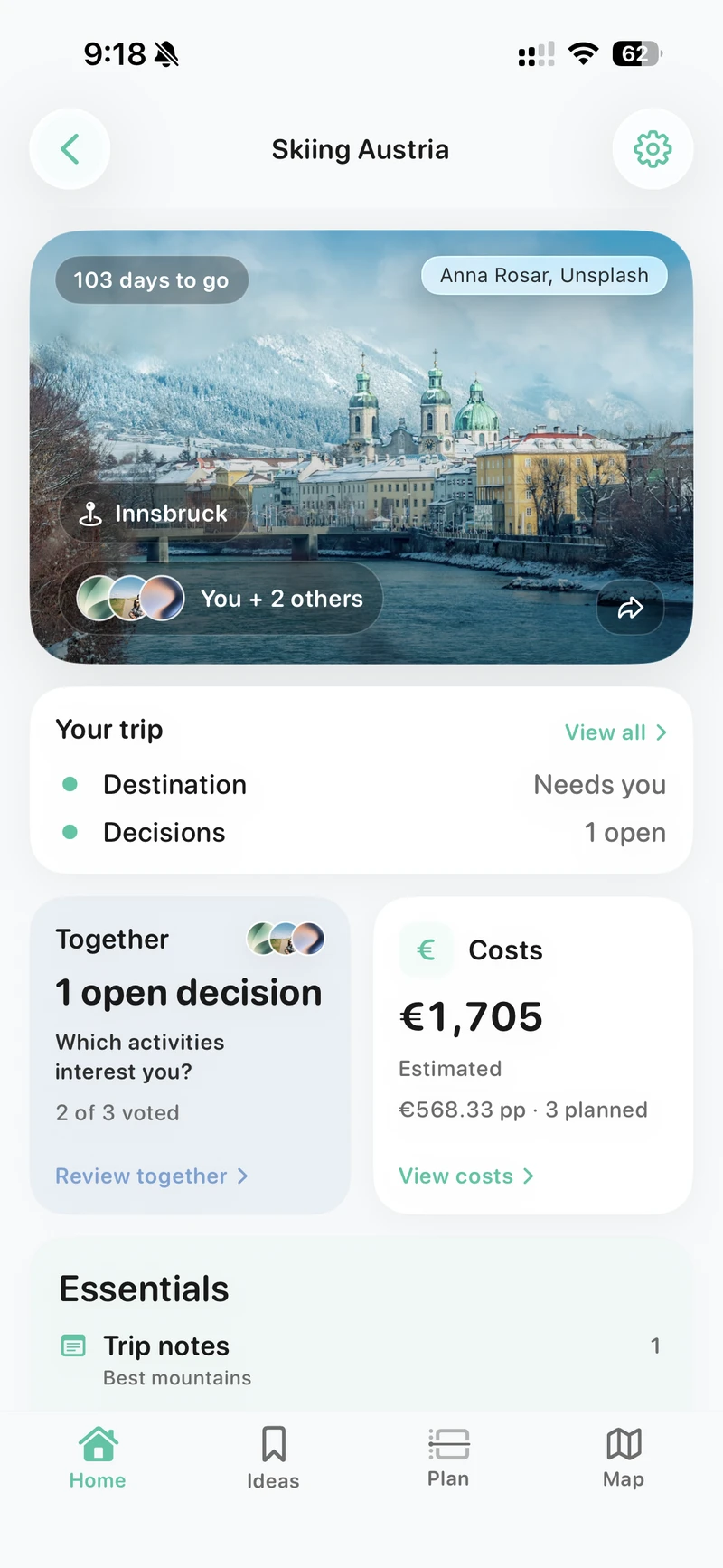
Open the trip and get your bearings. The destination, countdown and people travelling with you sit above the decisions, costs and essentials that bring it all together.
See what needs you
Your trip summary highlights open decisions and where your input is needed. Jump into Together to see the question and how the group has voted.
Keep the budget in sight
See the estimated trip cost and amount per person right on the home screen, then open Costs for the details.
Find the next thing easily
Keep useful trip notes in Essentials. Ideas, Plan and Map are one tab away when you want to explore or work on the details.
Setup, ideas & Explore
Start with a possibility. Give it room to grow.
A weekend somewhere. A place you’ve always wanted to see. You can start and build the whole trip on iPhone, with as much or as little decided as you like.
Make the trip yours
Give it a name, add a destination and set dates, or keep the timing flexible. Start locally without an account, email or phone number. Create an account to sync and invite others.
Collect the good finds
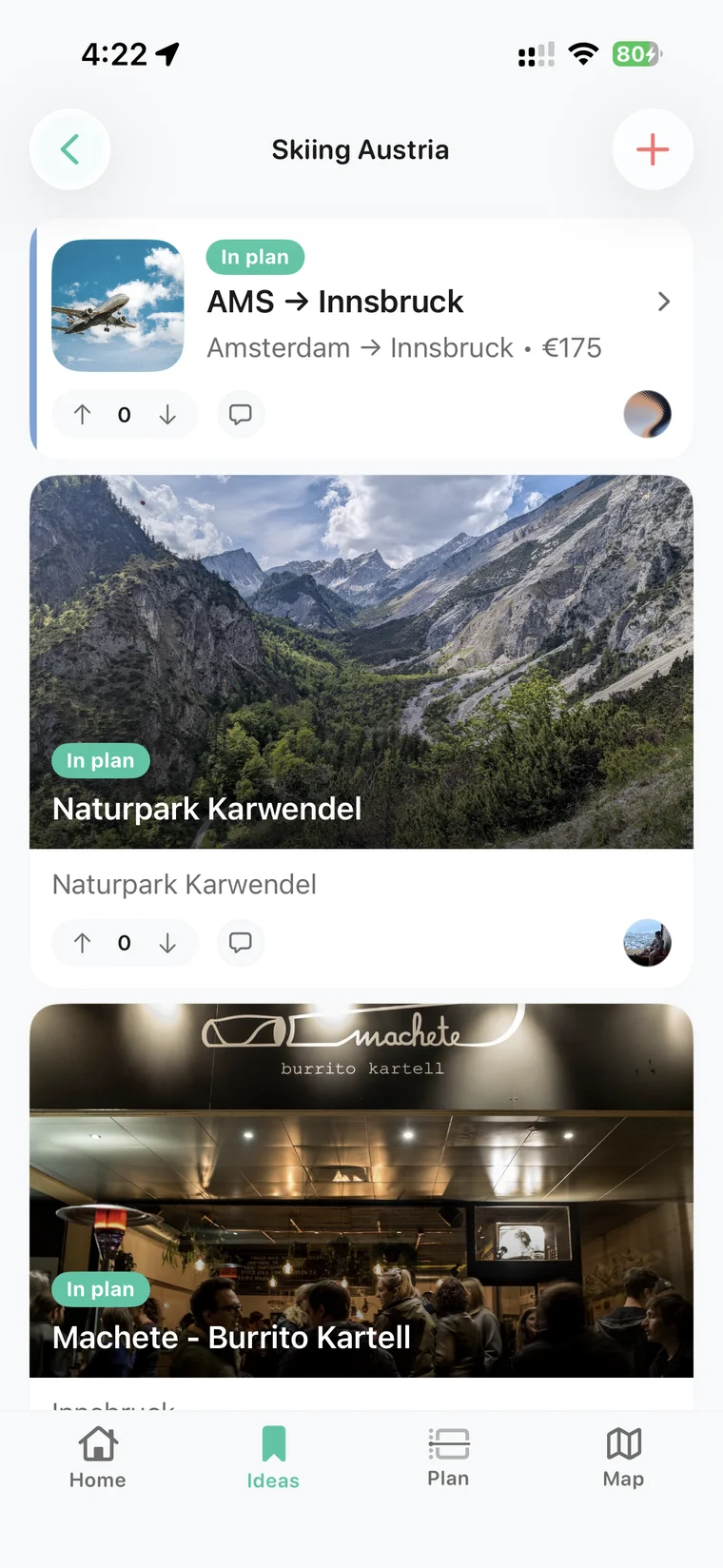
Keep stays, restaurants, activities, transport, links and loose ideas together. Add photos, notes and costs as the details come in.
Follow your curiosity with Explore
Find cafés, food, things to do, places to stay and more around an area. Save a discovery to the trip while it’s still fresh.
Align, When & Where
Find the trip you all have in mind.
Bring everyone into the decisions early. Awaii helps turn individual preferences, open calendars and a shortlist of places into something you can agree on.
Start with Align
Find out who’s interested, what kind of trip sounds good and when people can go. Share a link so friends can answer in their browser too.
See the dates that line up
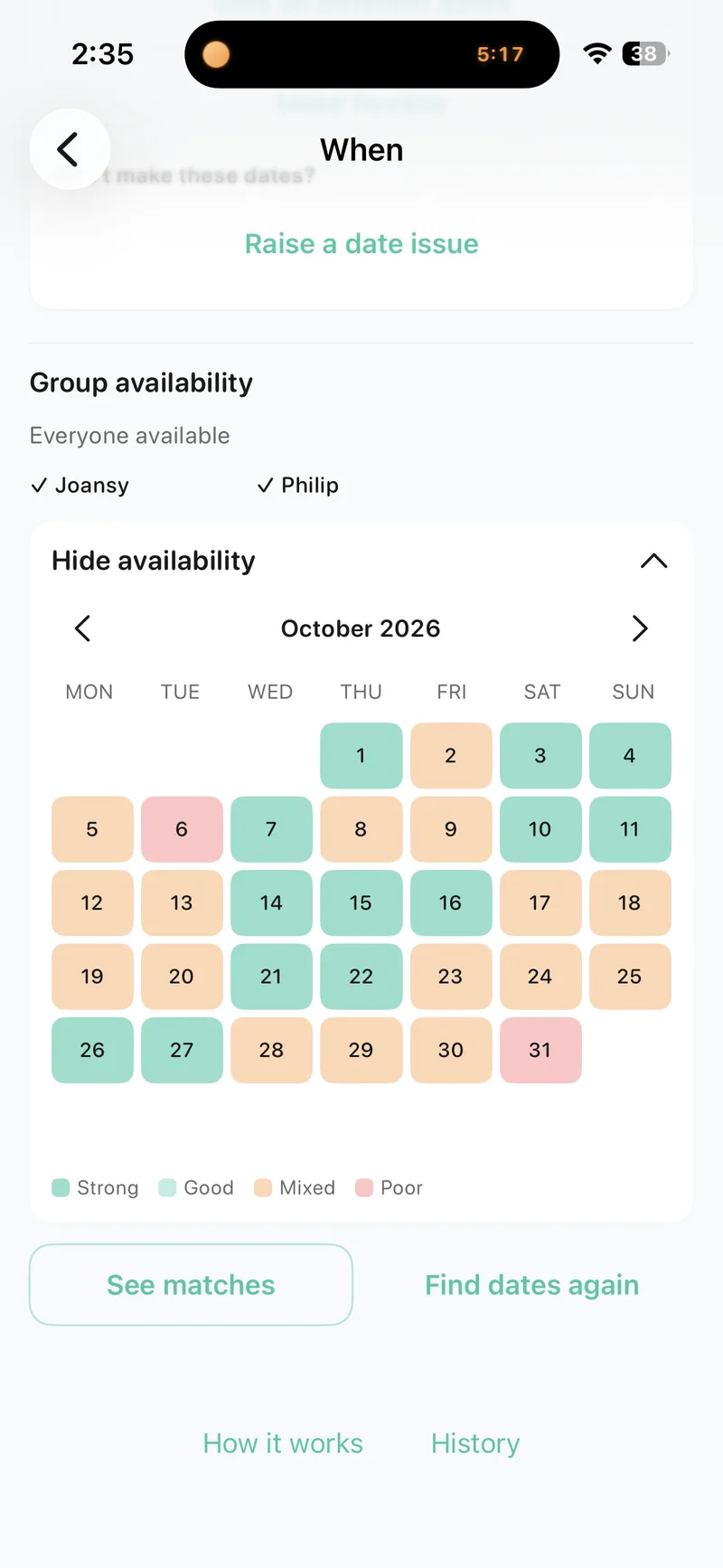
Collect availability and read the group’s calendar as a colour heat map. Look for the strongest overlap, compare date options and settle on a time to go.
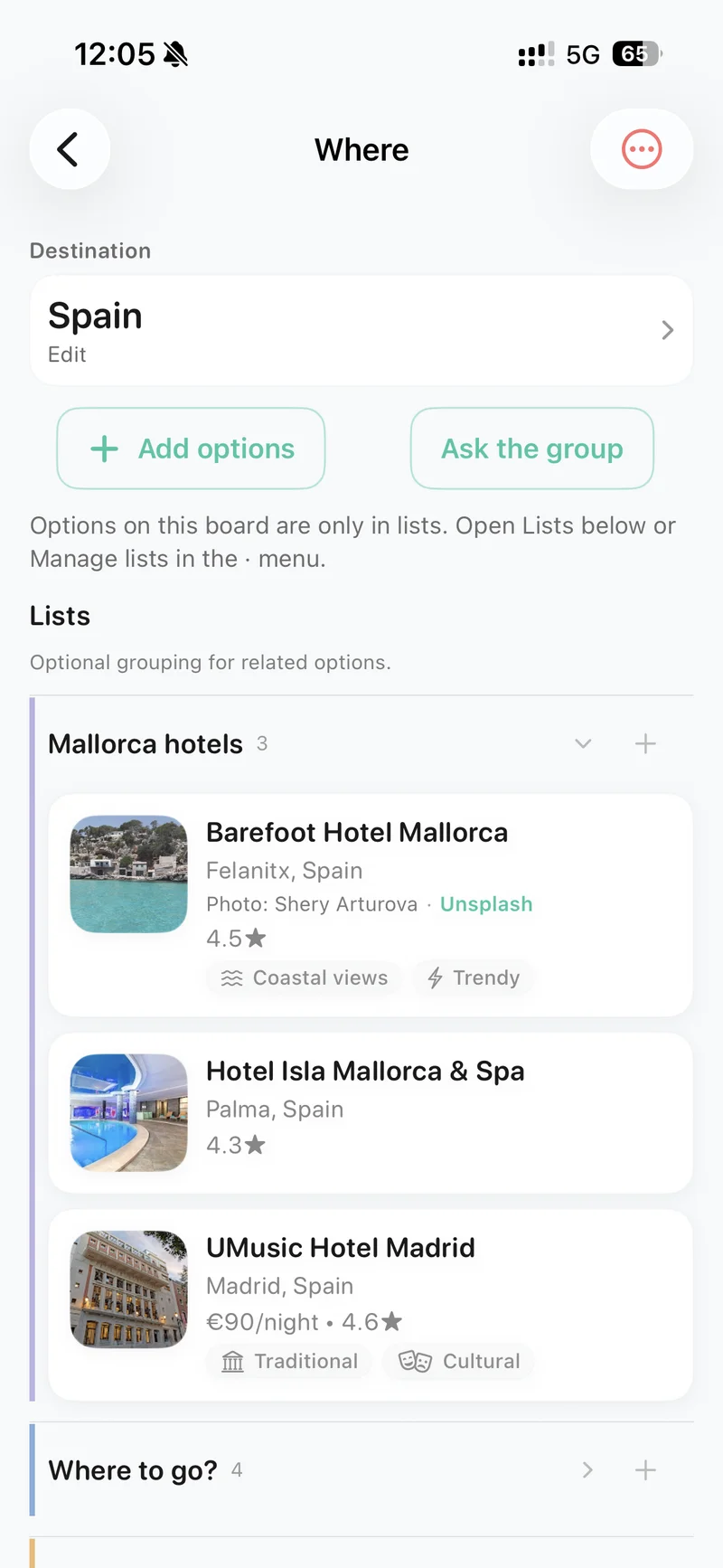
Give the options a place
Use Where to collect and compare destinations or stays. Ask the group, vote on the possibilities and keep the decision with the trip.
Itinerary & trip details
Turn “we could” into a day you’ll love.
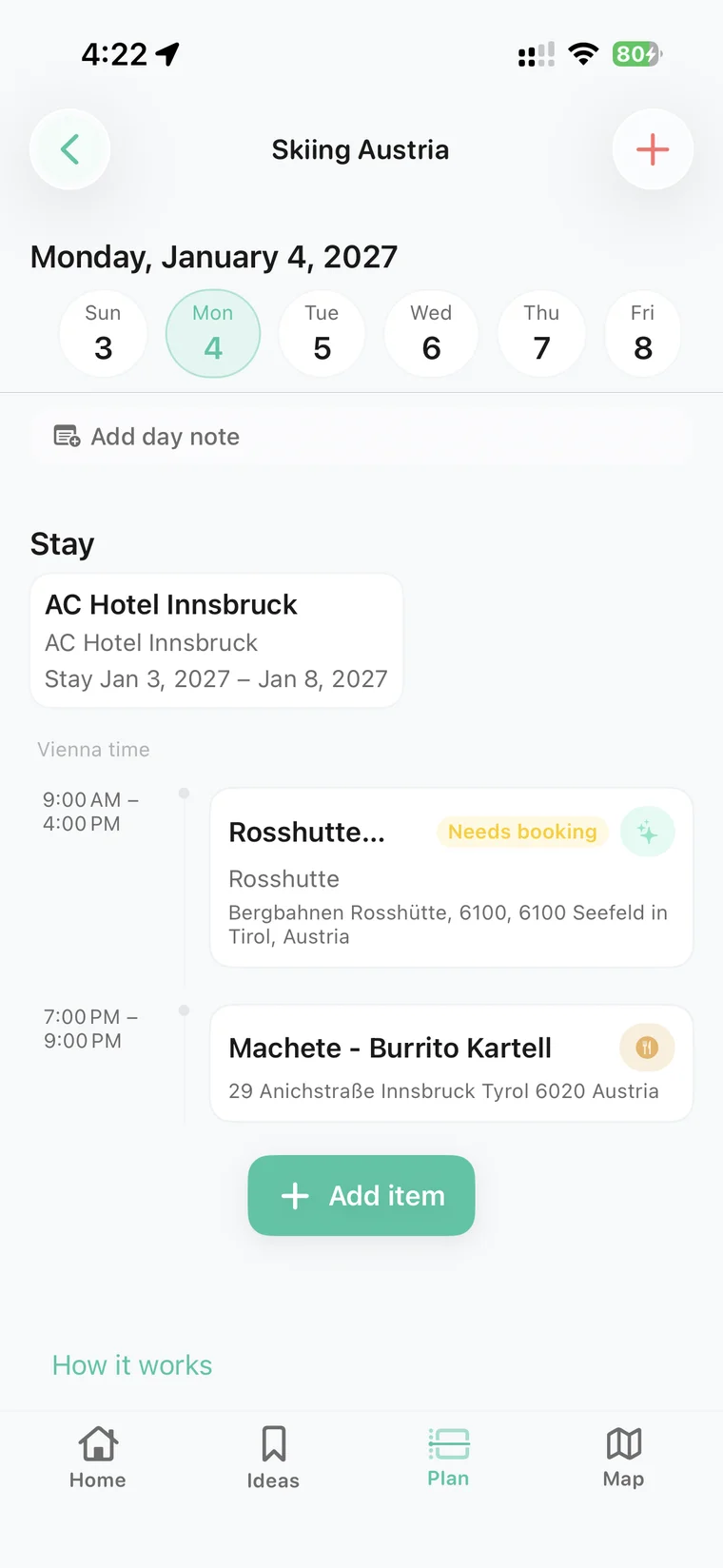
Keep the possibilities in Ideas, then bring them into the itinerary when you’re ready. Build each day around the things you want to do, with the practical details close by.
Build and edit the days
Schedule activities, meals and transport. See your stays alongside the day’s plans and adjust the itinerary as the trip takes shape.
Keep room for a slow morning
Add a day note for the loose plan, like ‘beach day’ or ‘wander around town’. Every good day doesn’t need a full timetable.
Bring the details along
Keep addresses, booking references, links, notes and attachments with the relevant item. Timezone-aware scheduling helps with trips across borders.
Budget estimates & expenses
Know what’s ahead. And who paid for dinner.
Money belongs in the planning, too. Build a picture of what the trip could cost before you book, then keep track of what you actually spend along the way.
Estimate before you commit
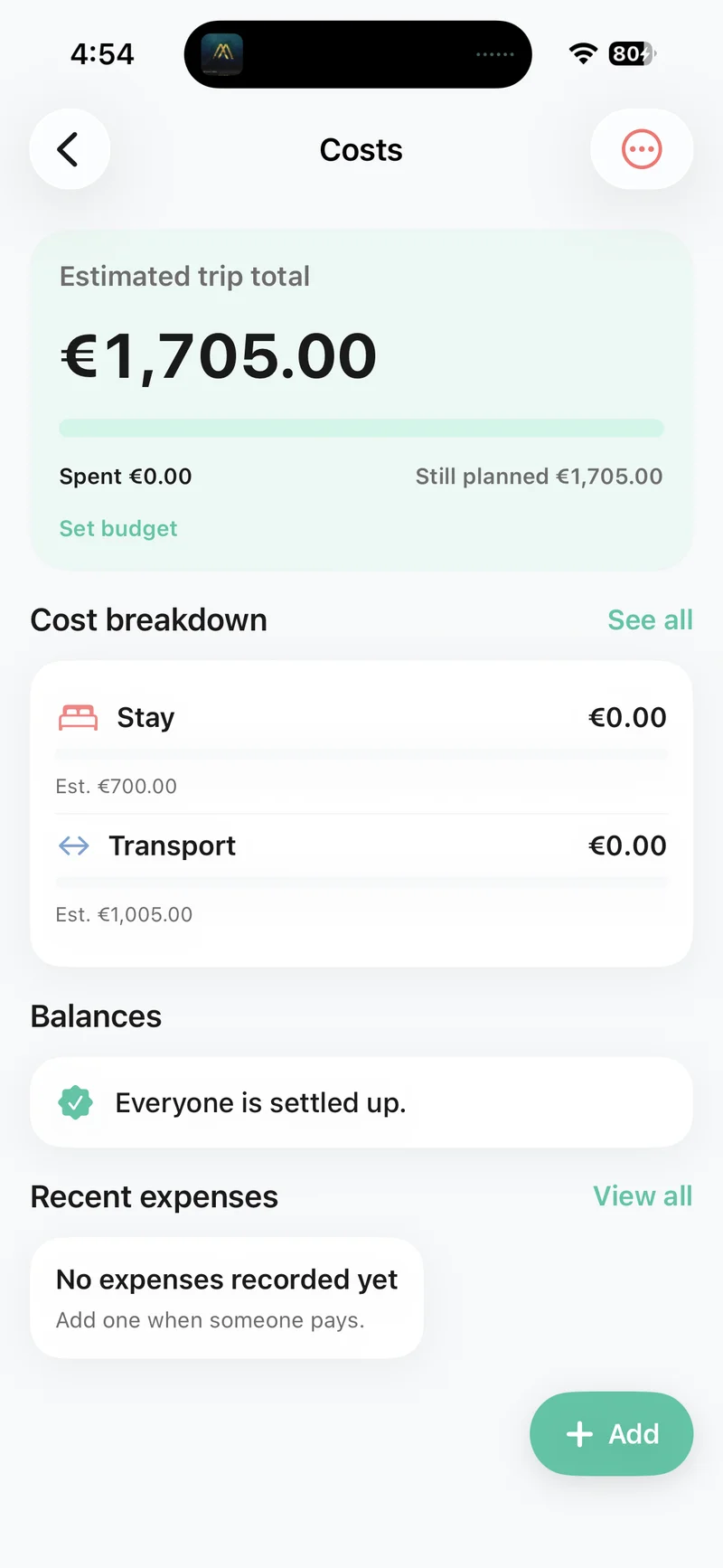
Add expected costs to stays, transport and activities. Set a trip budget and see your estimated total, what’s spent and what’s still planned.
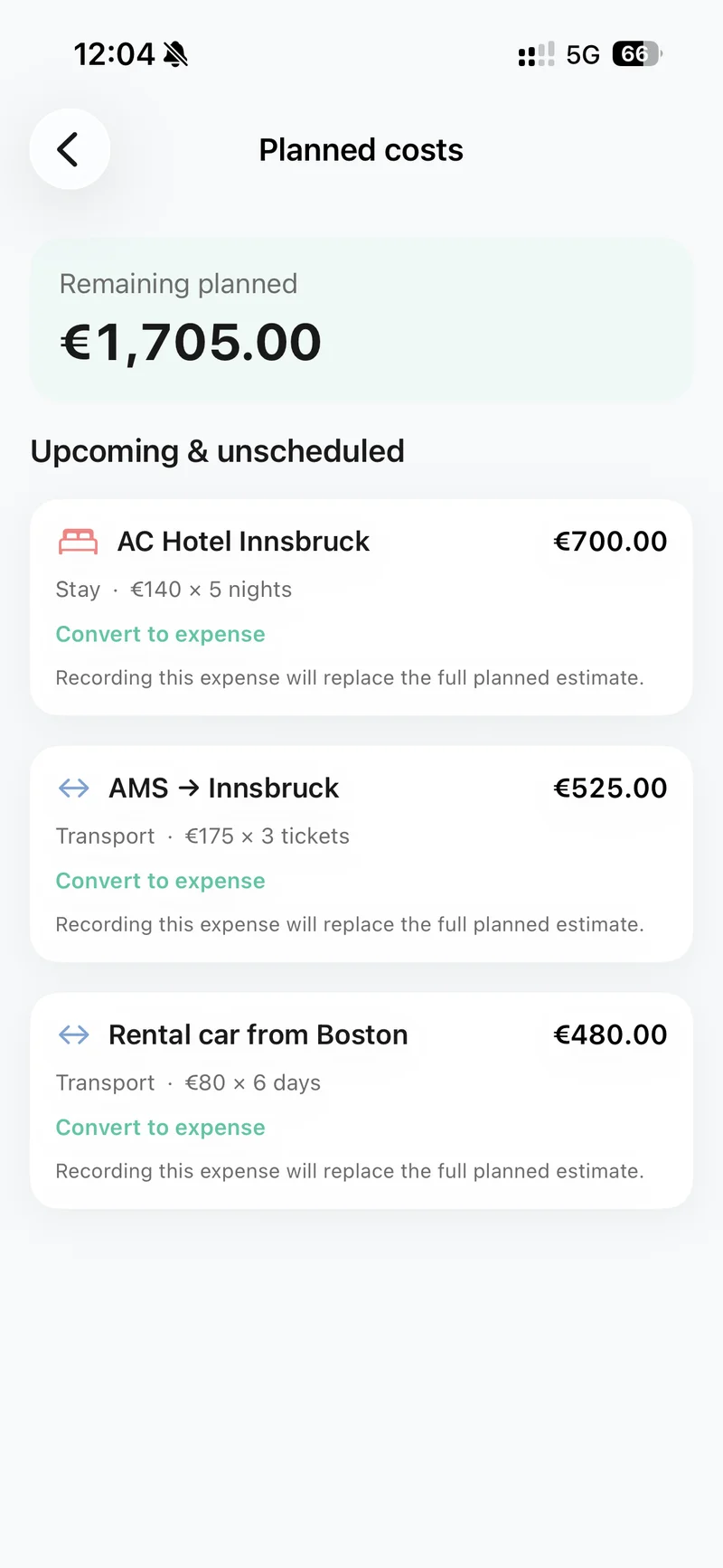
See where the money goes
Look through planned costs and category breakdowns. Record an expense against a planned item as it becomes a real cost.
Share the costs fairly
Record who paid and split expenses equally, by custom amounts, shares or percentages. Track balances and handle spending in different currencies.
Maps & places
Get a feel for the place.
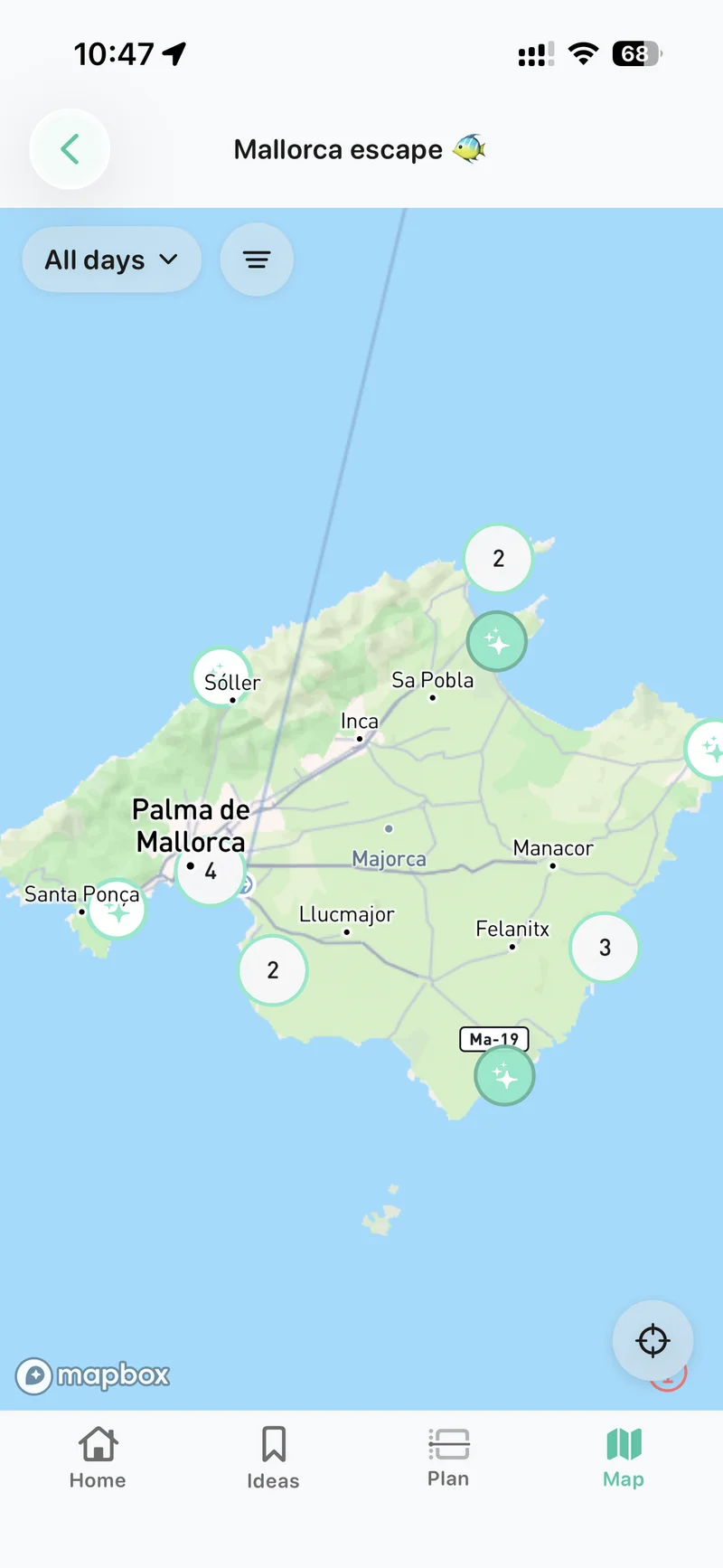
See how the trip fits together on the map. Your saved ideas and planned stops become a picture of where you’ll be, and what else is nearby.
See the whole trip, or just today
Show ideas and planned places on the trip map. Filter by day to get your bearings before heading out.
Keep discovering
Browse places on the map and save a find back to your trip. A promising spot can become an idea now and a plan later.
Offline planning
Less signal. Still your trip.
Open your saved trip, check the itinerary and keep working on your plans without a connection. Changes to synced trips are saved on your device and sync when you’re back online.
Open and sync your trip before heading off. Place searches, new map data and live updates from the group need an internet connection.
Collaboration & Together
Everyone adds something.
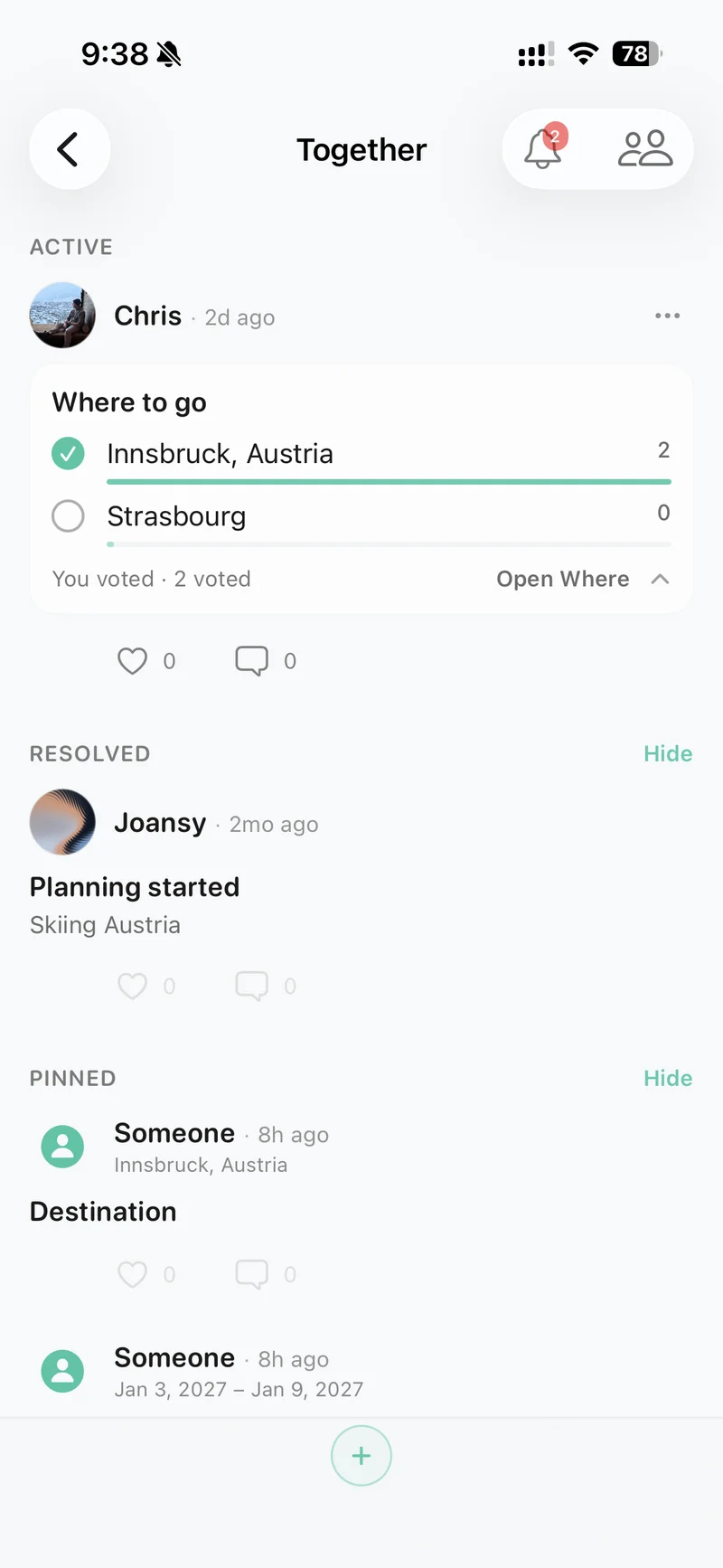
Share the planning and keep the conversation beside the trip. Together brings group posts, polls, decisions and updates into one shared feed.
- Post an idea or ask the group a question.
- React, comment and vote where the decision lives.
- Keep up with changes to the trip you’re planning together.
Packing, tasks & notes
Remember the little things.
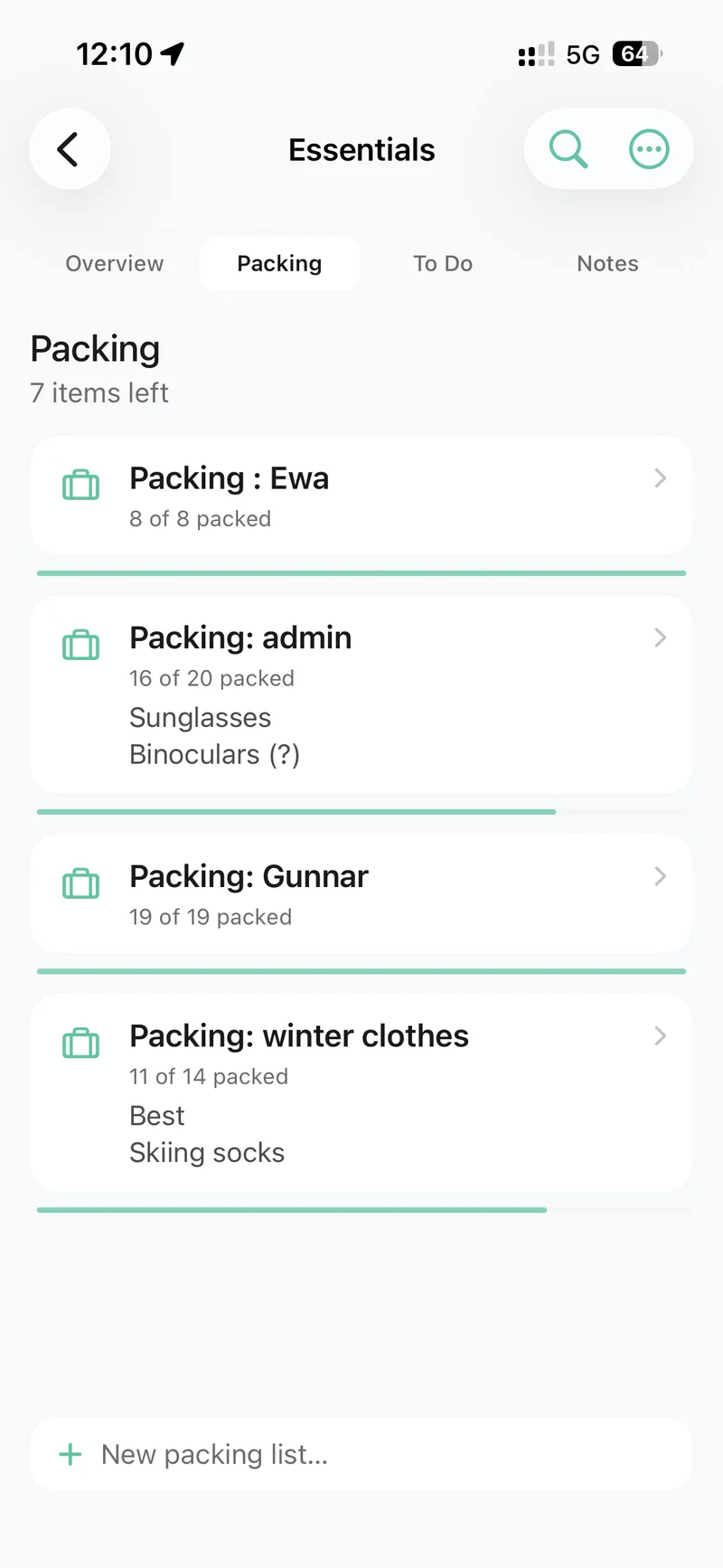
Trip Essentials keeps the practical preparations in one place. The things to pack, the jobs before departure and the useful notes everyone needs.
- Make packing and shopping lists and track what’s ready.
- Share to-dos and give tasks an owner.
- Keep shared notes easy to find when you need them.
There’s more in the bag
The details make the trip.
Favourite places
Keep a personal collection of places you love, ready to return to when planning another trip.
Booking details & files
Save references, useful links and attachments alongside the plan they belong to.
Notes, your way
Use shared reference notes for the group, day notes for the plan and private quick notes for yourself.
A plan to take away
Preview and export a PDF itinerary to share or print, or make a map or photo poster of the trip.
One trip, wherever you start
Already started on the web? Pick up right here.
Choose Keep access on the web and finish creating your account. Sign in with that same account on iPhone to continue planning the same trip, with the full set of tools.
Friends on Android or a laptop can still open the trip link in their browser to answer, share availability and take part in the decisions they have access to.
See how web and iPhone work togetherYour next trip starts here
Make a little room for getting away.
From the first saved place to the last day’s plan. Bring it all together in Awaii for iPhone.
Get Awaii for iPhone