

How Awaii works
Here’s how a trip takes shape.
Use the web companion to line up dates and preferences with friends on any phone. Continue the full trip in Awaii for iPhone.
Start planningNo account needed to start.
Give the idea a name.
Choose a starting point and give your trip a working title. ‘A weekend away?’ is enough. Add your name and start; the group size and a join PIN are optional.
You’ll get a link to share with your friends. They open it in their browser.
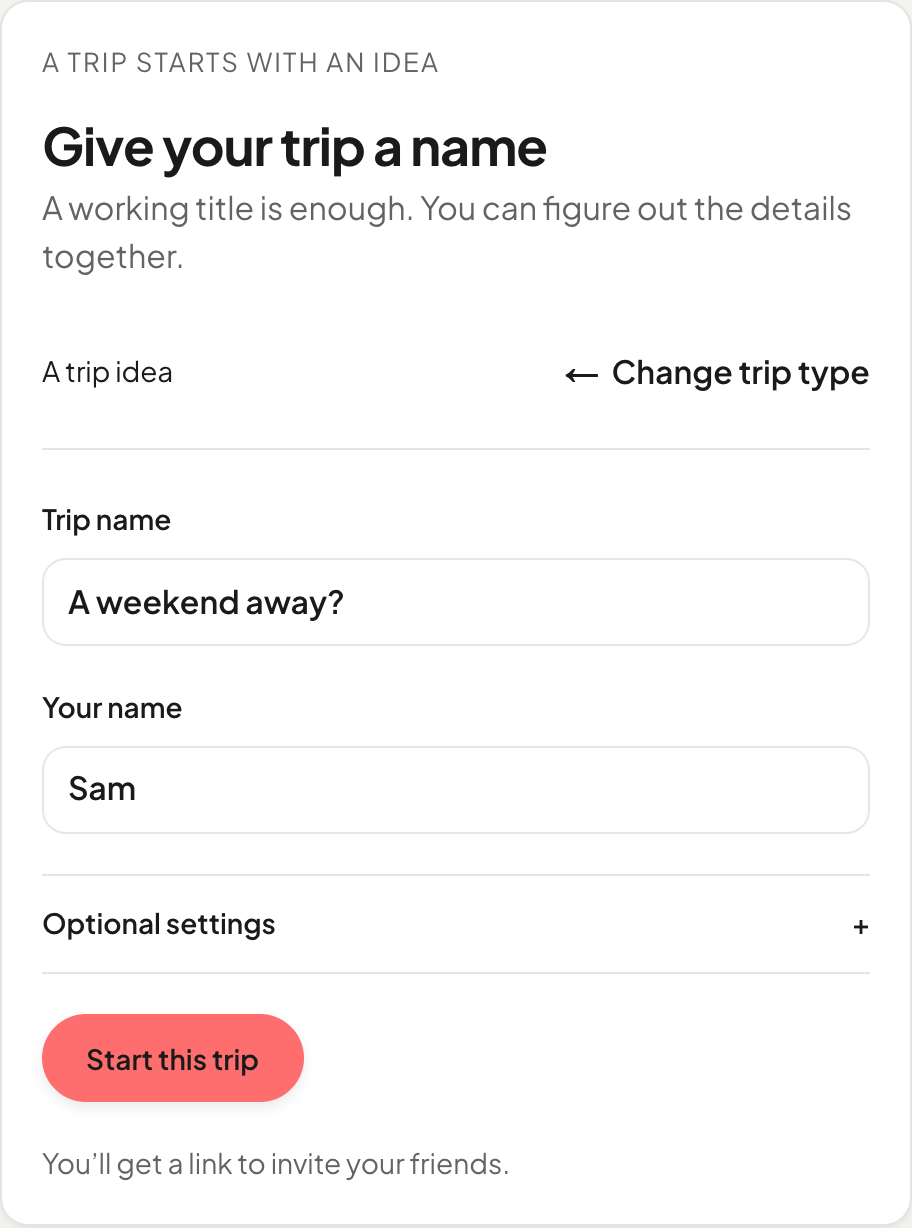
Start a trip · Example web screen Everyone adds their part.
Through the link, each person answers the trip’s questions. Who’s interested, what sounds fun, and when could you go? The questions depend on the starting point you chose.
Open When to add your available days. You can edit your answers while the questions are open.
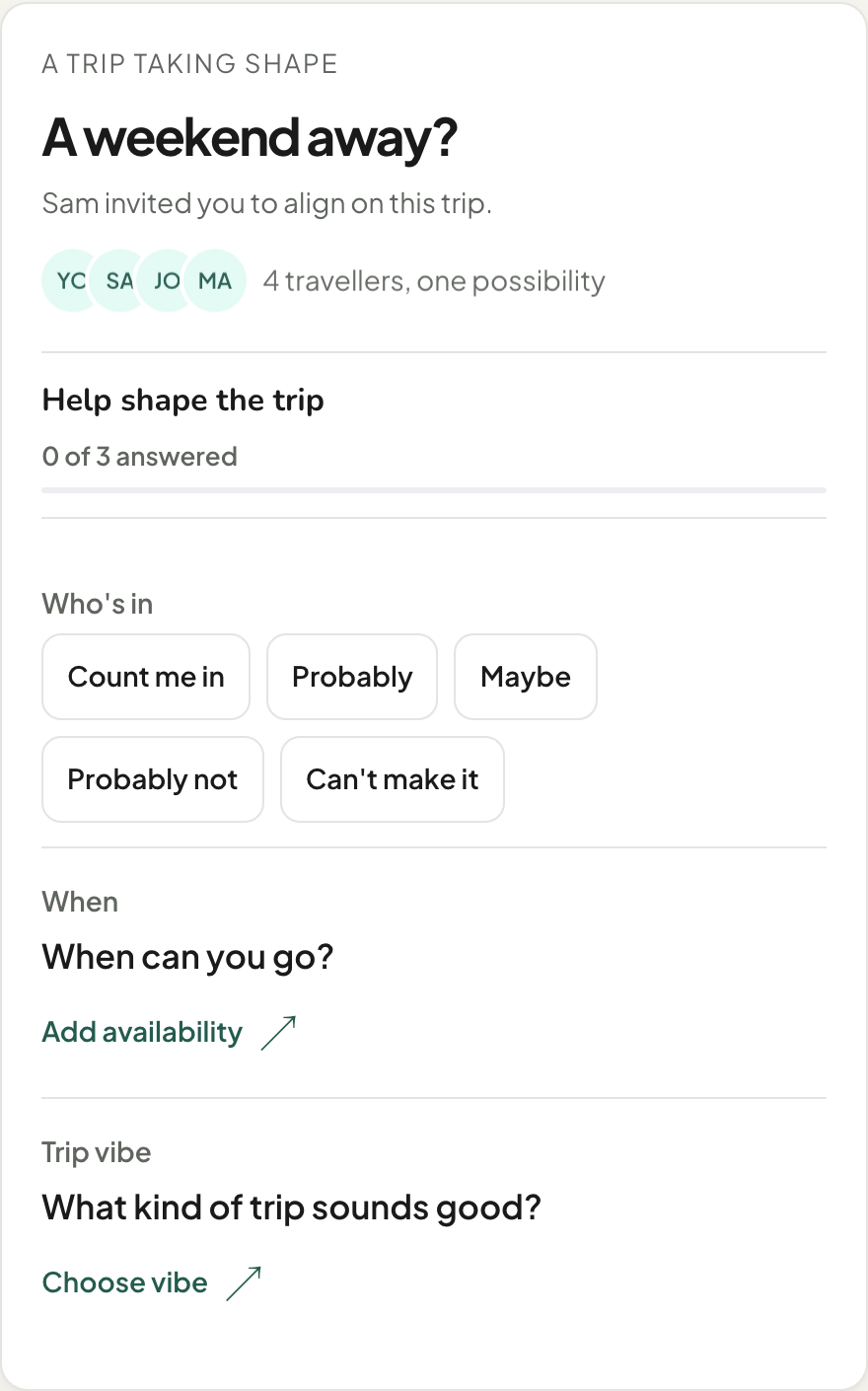
Your answers · Example web screen See what lines up.
Once you’ve answered the required questions, you can see the group picture: what’s in common, who still needs to answer, and what’s still open.
Tap the small calendar under When. Browse the months and select a day to see how many people can go, might go, can’t go or haven’t answered yet.
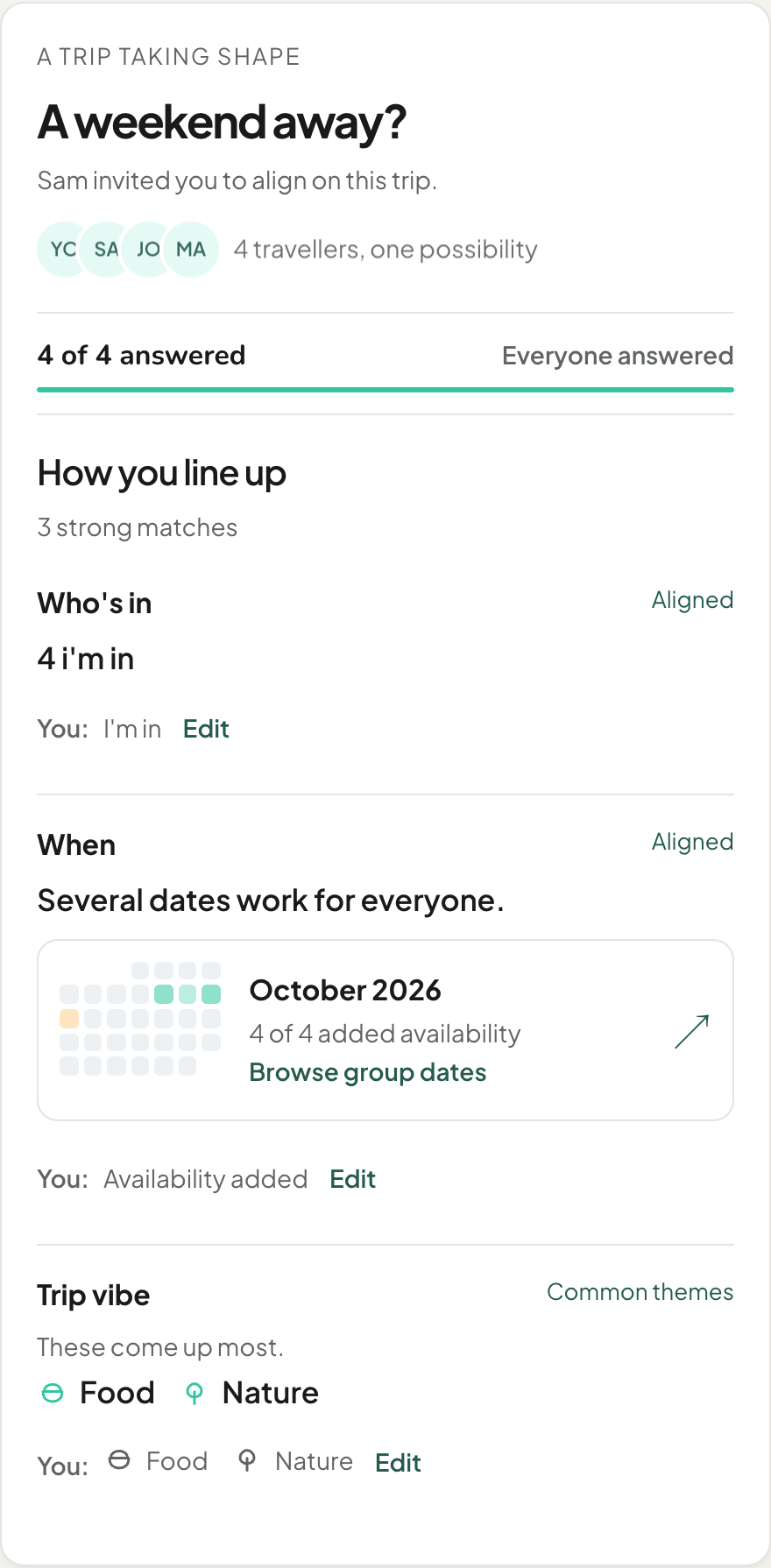
The group’s answers · Example web screen
Before you go
A few things you might wonder.
Can I start without an account?
Yes. Start a trip on the web and share the link. Friends can answer without creating an account, too. Choose Keep access later to connect an account and return on another device.
Does everyone need an iPhone?
No. Friends can use the link in their browser on Android, iPhone, or a laptop to answer and share availability. The full trip planner is available in the Awaii iPhone app.
What’s on the web, and what’s in the app?
Start with the group on the web: who’s in, possible dates, and preferences. Members can also vote and follow shared trip updates where they have access. Full itinerary editing, maps, expenses, packing, and offline planning are in the iPhone app.
See the web and iPhone guide ↗Is Awaii free?
Awaii is currently free to use on the web and free to download on iPhone, with the planning experience included.
More about free travel planners ↗Can I use my trip offline?
In the iPhone app, your saved trip and plan stay available without a signal. Syncing with friends, searching for places, and loading new map data need an internet connection. The web companion needs internet.
Your next trip can start unfinished
Got a “we should go”?
Send it somewhere it can become a trip.
Start on the web. Bring your friends.